Using Microsoft 365 Copilot for work
In our guide, "What is Microsoft Copilot : A beginners Guide" we introduce Microsoft's copilot and its capabilities across the Microsoft ecosystem. Now let's look at how Copilot works with your everyday tasks, apps, and business data.
Copilot's strength lies in how it understands your work context. It can read your emails, analyze your spreadsheets, summarize meetings improve your documents, and help with presentations - all while knowing how this information connects to your projects and team. This guide focuses on four key workflows:
- Research and Discovery How Copilot helps you research topics in Edge while connecting insights to your existing work documents and data
- Information Processing Working with emails and documents in Outlook and Word, where Copilot understands context from your previous discussions and project history
- Content Development Creating and editing content while Copilot suggests improvements based on your organization's style and existing materials
- Data Analysis and Visualization Using Copilot across Excel and PowerPoint to analyze data and present insights, drawing from your actual business numbers and past reports
What you'll learn:
- How to use Copilot with your work documents and data
- Ways to move tasks smoothly between different Microsoft apps
- Methods to analyze information across multiple sources
- Techniques for better content creation and team collaboration
Each section shows real examples that highlight how Copilot works with your business context to deliver better results.
Research and Discovery
Microsoft 365 Copilot becomes your research assistant, not just to research topics on the web but also research and analyze work data/files that you have access to. Get started by logging onto www.microsoft365.com. With your work account signed in, Copilot understands your business data and work documents alongside web research. Once logged in, you can start asking questions through the chat interface.
Prompt : "My company is preparing for the launch of our on-demand online fitness platform, the launch is in 6 weeks. Our hero program for the launch is a 12 week HIIT + strength training course designed by top fitness pros. We are also working on designing a high protein diet to go along with the fitness program. what are some examples of high protein diets that are popular our there and how best can we market our fitness program and the diet together"
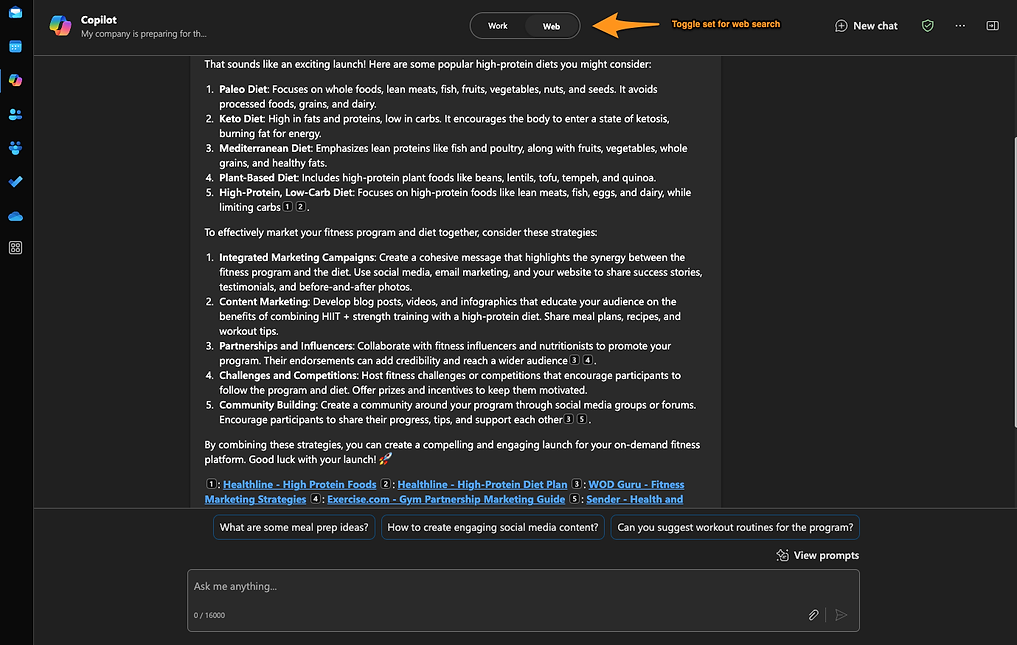
Copilot searches the web and provides information, annotating the sources for each data point. You can continue the discussion and ask follow-up questions, seek deeper understanding of particular concepts or start a different thread of discussion with "new chat".
Information Processing
When you get a lot of project information through emails and documents, Copilot helps organize and analyze it. Copilot interacts with the Microsoft Graph to understand your conversations, documents and emails you have received.
Switch the toggle on the top to "Work" and it gathers information (chats, data and files) you have interacted with recently or might have received through email and/or onedrive sharing.
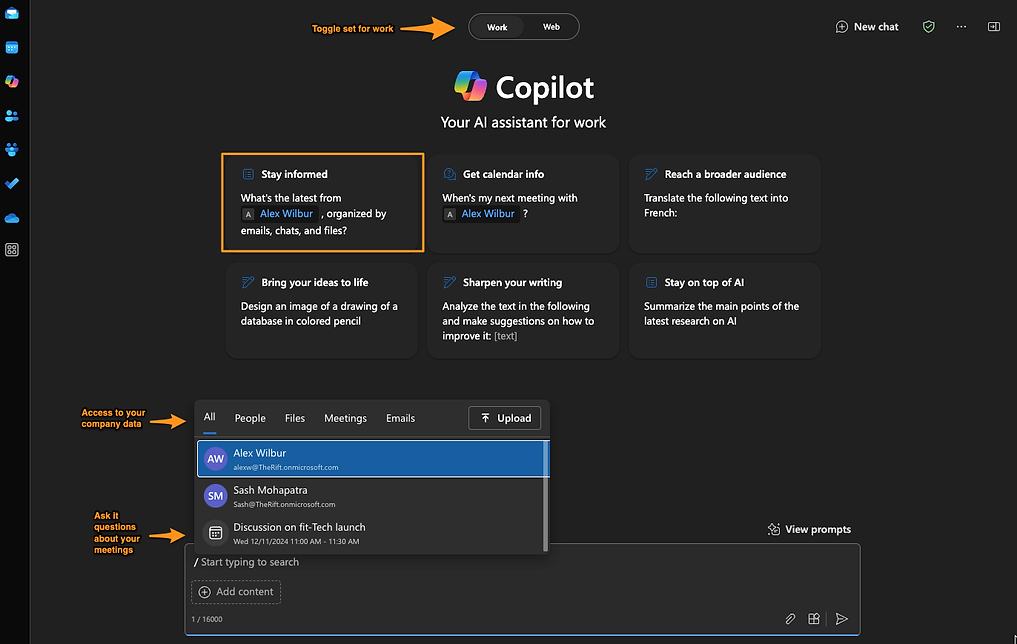
Copilot excels at extracting key information from email threads and documents. Select your team mates name and ask it for the latest interactions across email, chats and files.
Prompt: "What is the latest from 'colleague name" organized by emails, chats and files?
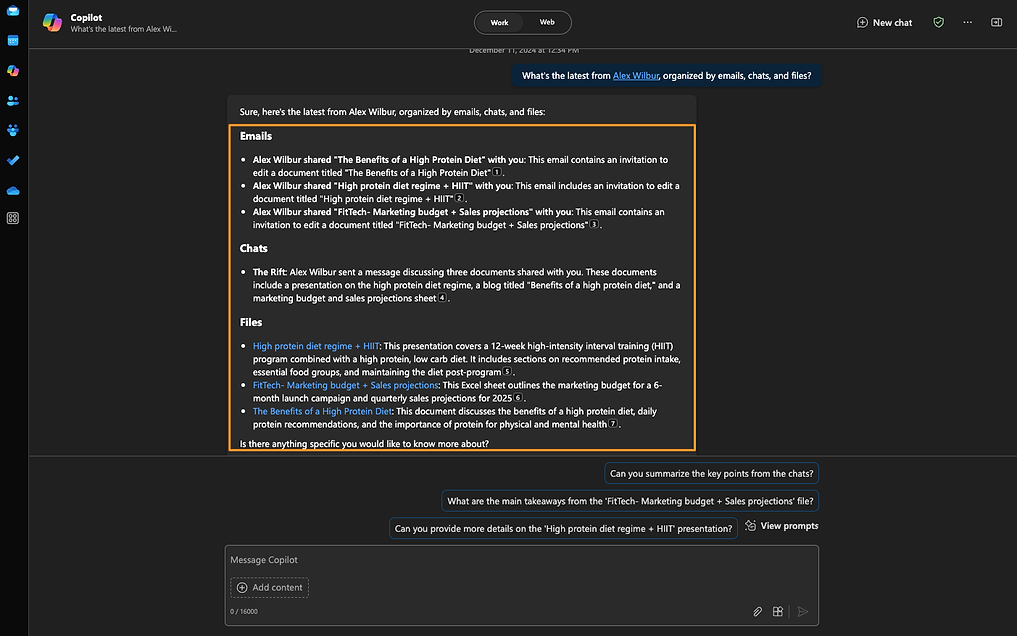
Copilot summarizes your interactions across email, chat and also links the files that your colleague has shared with you. You can ask it to summarize details in an excel sheet that you have received.
Prompt : "Provide me with a summary of the marketing budget and sales projections Alex shared"
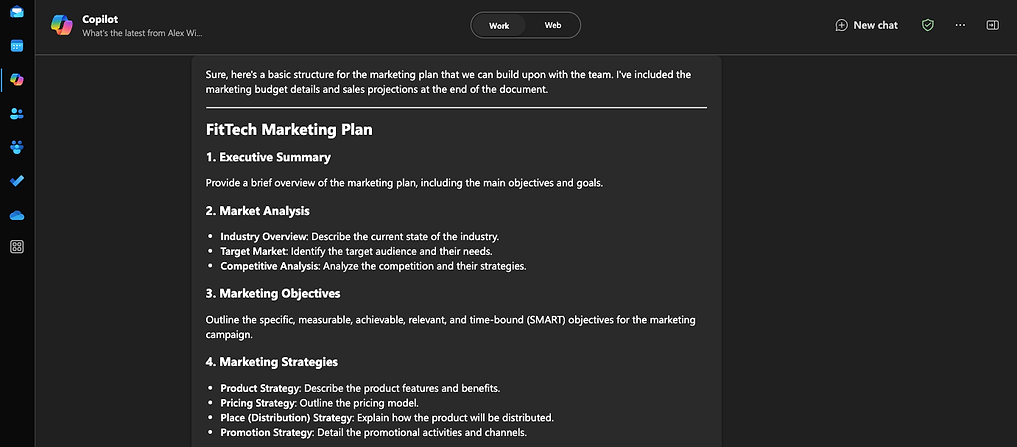
Now you can ask copilot to use the summary of the data and create additional content with it. All without losing context of the conversation.
Prompt: "Lets create a basic structure of a marketing plan which we can build upon with the team, add the budget details and sales projections to the end of the marketing plan.
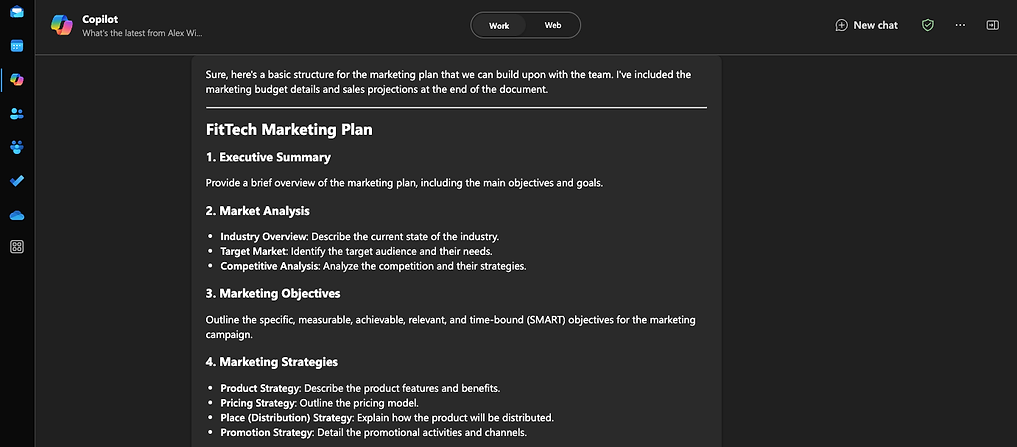

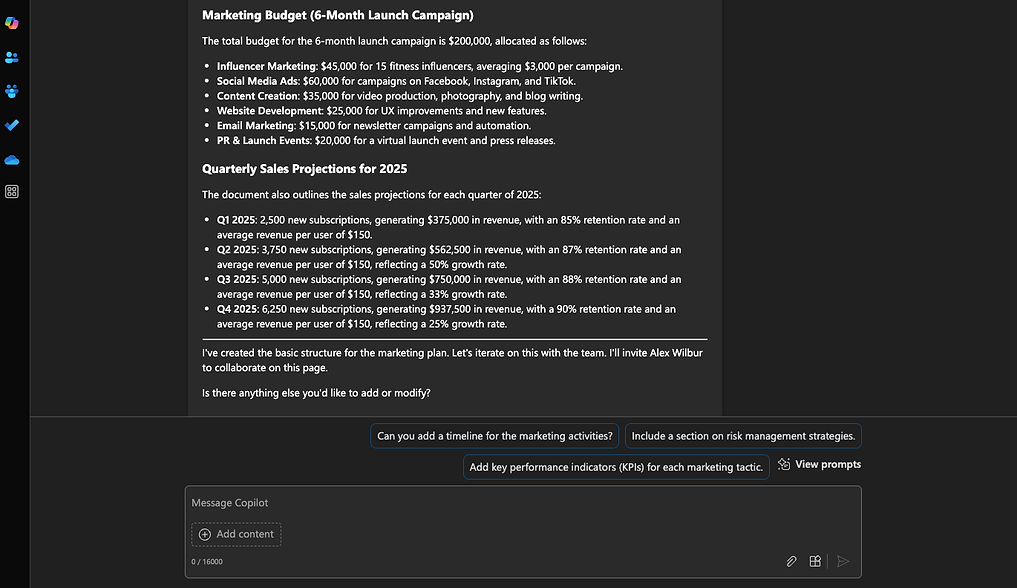
Copilot creates a basic draft and invites Alex to collaborate on it.
Content Development and optimization
Copilot helps create and refine content while maintaining consistency with your organization's materials. This is particularly useful when working on large projects that need multiple types of content, across different Microsoft apps.
Based on previous discovery and research, we now have a structure of a marketing plan that the team will collaborate on. (The text was copied into a word document for further refinement)
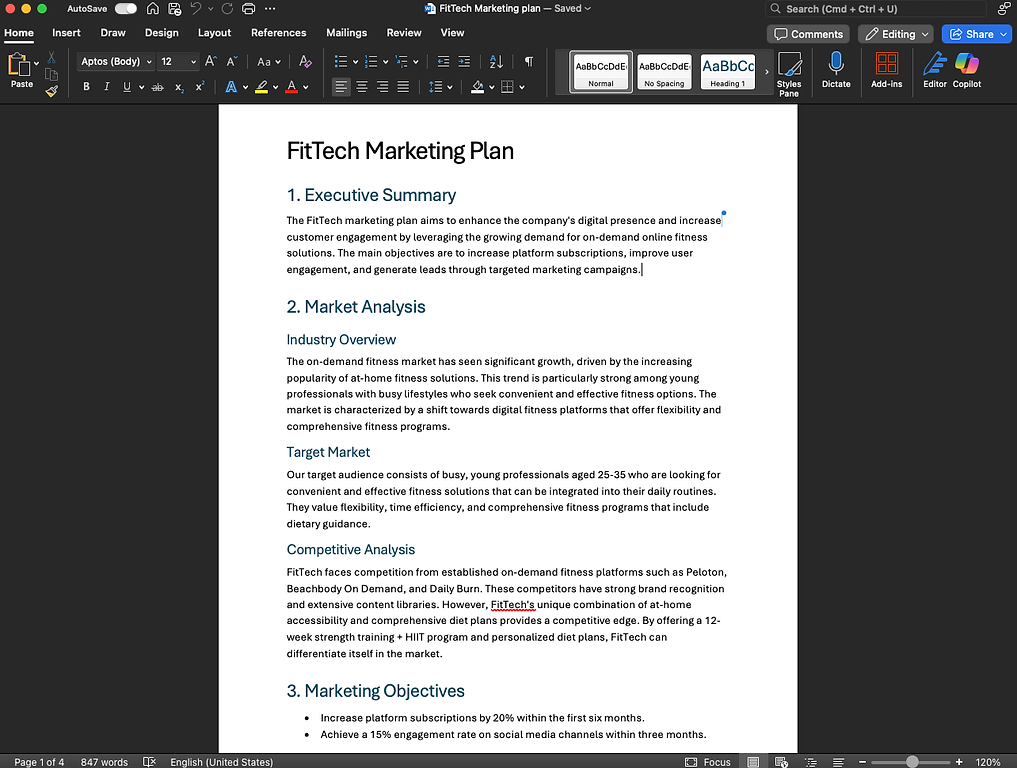
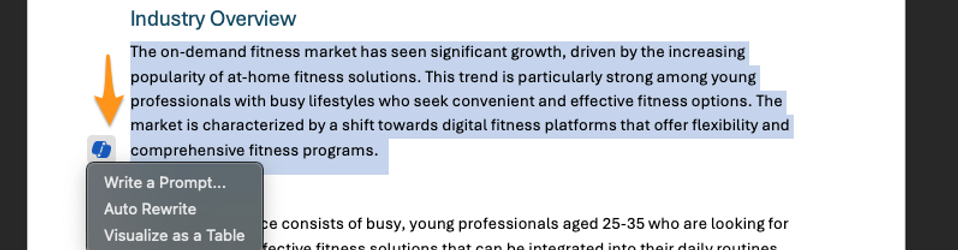
In Word, now you can interact with copilot on specific sections and prompt a rewrite. Select a paragraph or a section and click on the copilot icon. A prompt window opens up, where you can type in your instructions
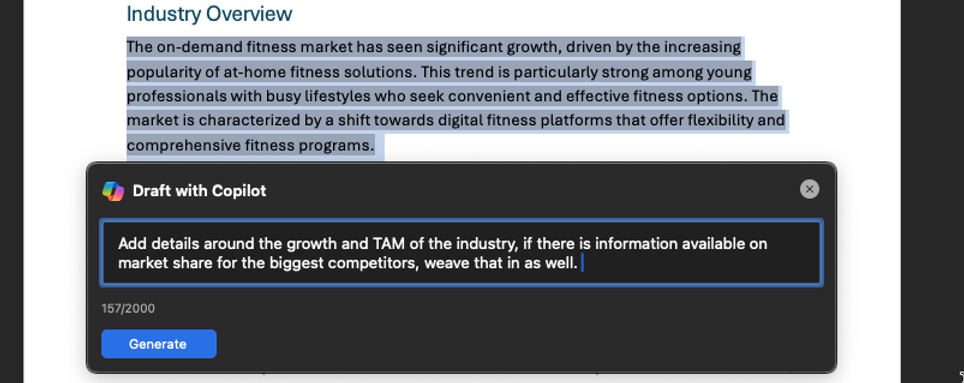
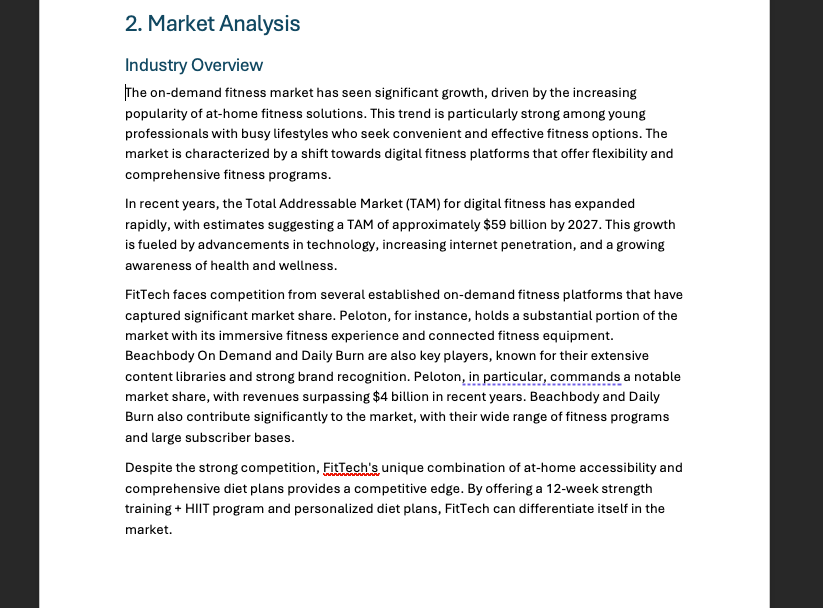
Copilot re-writes the section and added details based on the prompt given. You can choose to keep it, or ask it to rewrite.
Cross-App content creation
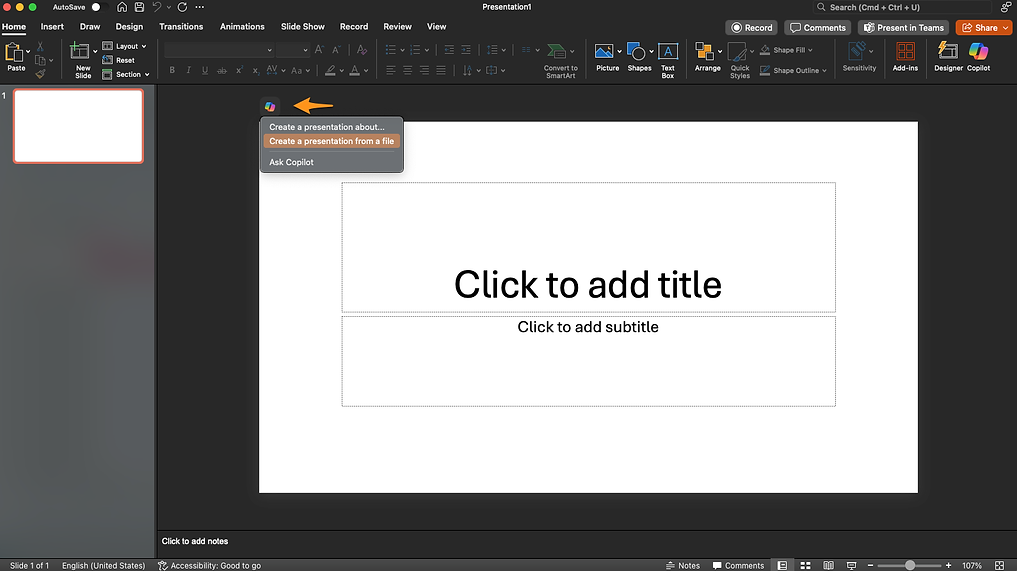
Lets take it a step further, lets use our marketing plan in word, to create a presentation that will be used for discussions with the team. Let's open up PowerPoint and create a new presentation. Click on the copilot icon and choose "Create Presentation from a file".
The copilot sidebar opens up, use the '/' operator to open up recent files and you should see recent files you have interacted with.
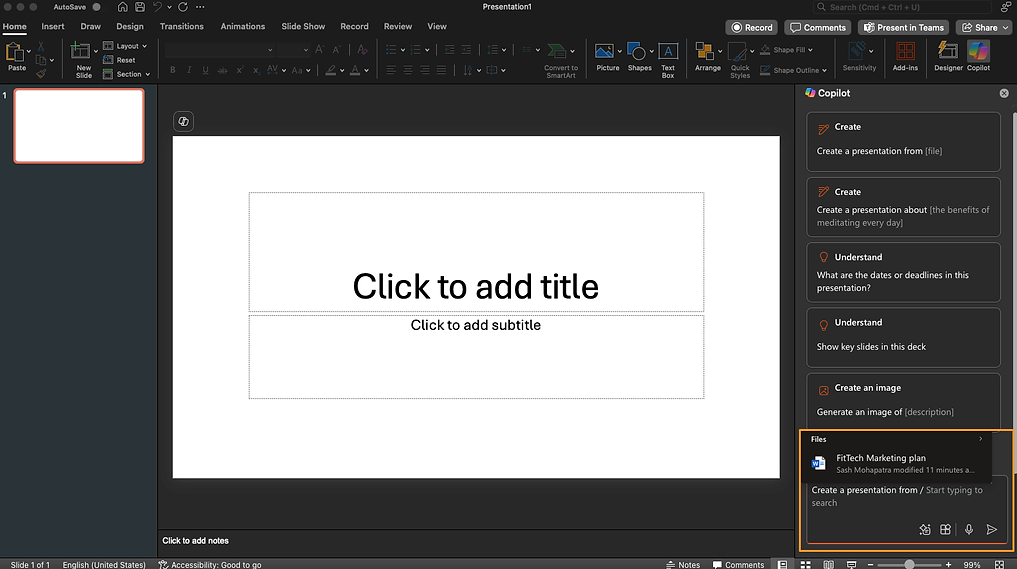
We choose the marketing plan that we just created and copilot gets to work. It creates a beautiful presentation organization based on the topics in the document. Now we have a slide deck, built in seconds from a word doc that we created with copilot
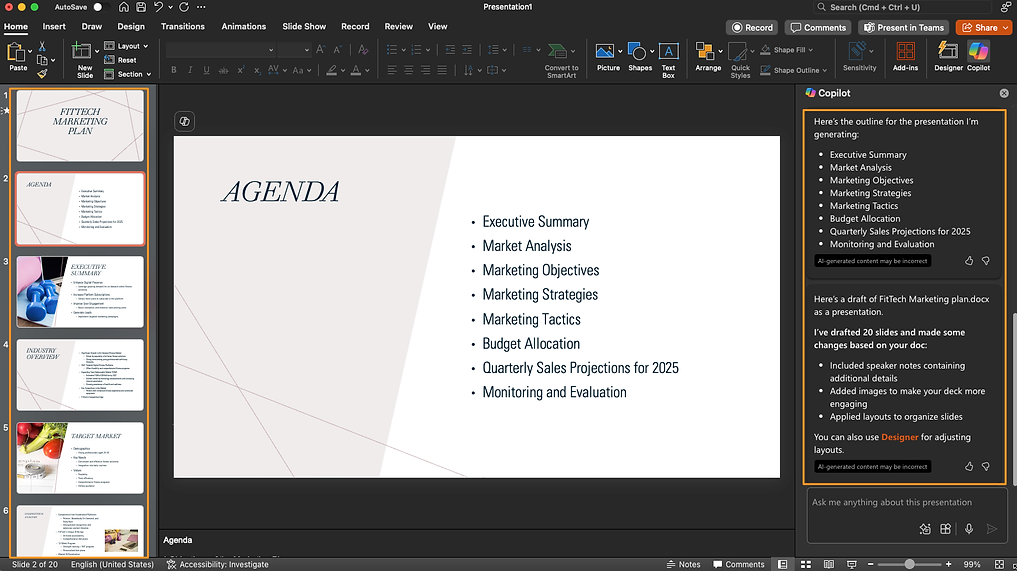
Now we have fully formatted slide deck created based on our marketing plan word document. We can now click "Designer" on the top right and change the look and feel of a particular section, or the entire slide deck. Select any content in a slide and you'll see design suggestions on the right pane.
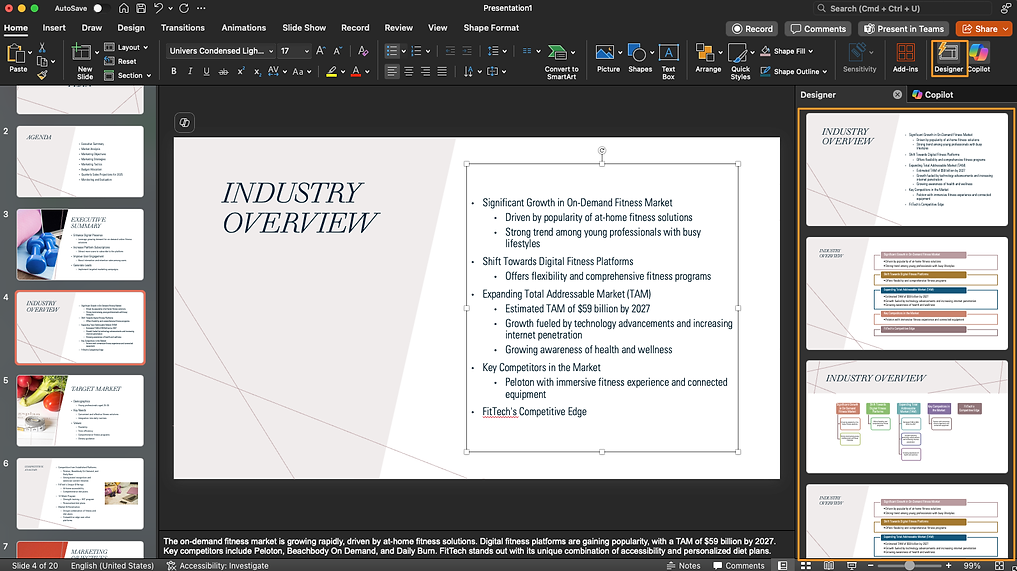
Choose the style you like and the content is formatted for new within seconds.
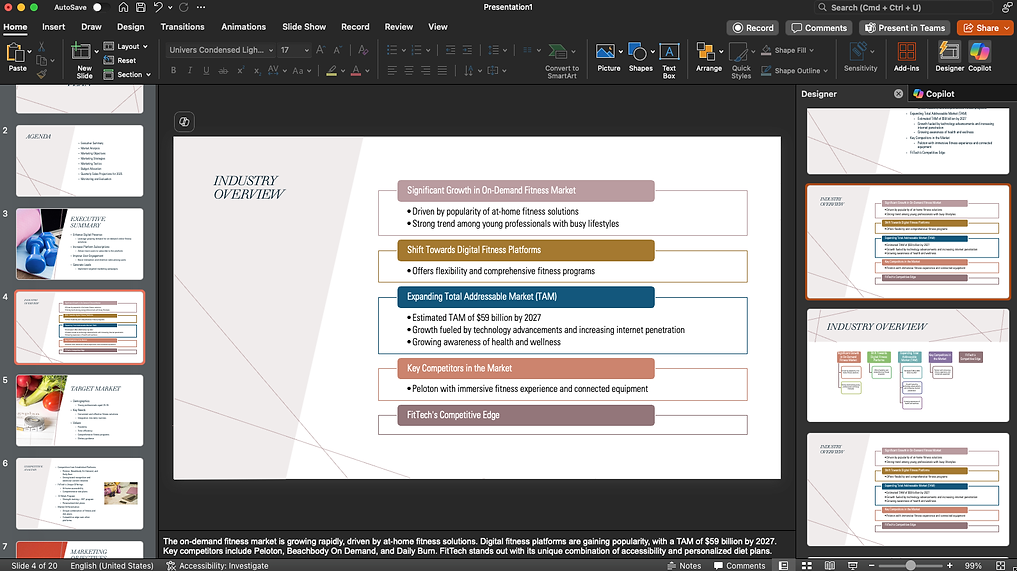
As demonstrated, we started with text based research with copilot in the browser experience. Once we had foundational content to work on, we developed it in Word and created an engaging slide deck from the same word document, all within a few minutes. The power of copilot lies in its strong integration across the Microsoft ecosystem of apps, providing context and grounding to your work. Collaborative work that would take days can now be accomplished in hours.
Pro Tips
- Tell Copilot about specific files or data you want it to reference - it works best when it knows exactly which documents, spreadsheets, or presentations to analyze
- Use follow-up prompts to refine outputs. If the first result isn't quite right, ask Copilot to adjust specific aspects rather than starting over
- Start broad with research requests, then narrow down with specifics. This helps Copilot build context before diving into details
- When working across apps, tell Copilot which format you want the final output in (Word doc, Excel sheet, or PowerPoint slides)
- Save successful prompts for reuse wherever applicable
Considerations
- Copilot can only access files you have permissions for. Make sure relevant documents are properly shared before asking Copilot to analyze them
- Always verify data analysis results and cross-check important calculations, especially for financial projections and business planning
- When creating content, Copilot draws from your organization's existing materials. Keep source documents well-organized for better results
- Some functions may be limited by your Microsoft 365 license type and organizational policies
- Response quality depends on the clarity of your prompt and the quality of data available in your Microsoft 365 environment. Check out our "CRAFT of prompting" guide for best results with prompting